Active-TV Technology for iPhone and iPod touch

Active-TV Technology for iPhone and iPod touch
Navigate YouTube

Navigate YouTube available at iTunes App Sore

An easy to use iPhone and iPod touch App that enables both new and advanced YouTube users to get the best from YouTube.

Browse video Standard Feeds, Categories, Channels and Playlists. Then organize new videos into your own favorites and playlists. Make playlists private or public. Subscribe to other user's playlists and video collections for future viewing. Subscribe to videos matching search-words.

Look at publicly viewable favorite videos, playlists and subscriptions based on your YouTube friends, family and contacts. Send and receive video links with YouTube contacts via YouTube video messages.

Search for new videos tagged for your language or geographical region, using local keyboard. Explore for new videos via easy switching of user ID to the owner of interesting videos - then explore their world.

All actions are kept in sync with PC, Mac or Apple-TV access to YouTube. Available at Apple App Store.

active-TV technology for PC

active-TV technology for PC
Windows PC based home network
Showing posts with label MCML. Show all posts

Sunday, September 30, 2007

Arrival of more boxes supporting internet video for the TV

Active-TV Ecosystem Developers,

The Issue: more boxes are arriving to support internet-video viewing in the living room TV.

Solutions: For cost and technical reasons, most of these boxes require the support of a networked PC.

Behind the scene: Web pages formatted for the TV are known as TV-web. Interaction with these pages is via an IR remote, not a keyboard or mouse. To ensure a box can display the greatest number of TV-web pages or ‘channels’, and also ensure a TV-web channel can reach the greatest number of TVs, they should both support HTML, JavaScript and Flash, building blocks of Web 2.0 technology.

New boxes supporting access to internet-delivered video are arriving in the market from a variety of prominent and lesser-known vendors. The most important criteria by which to measure potential success are box cost and quantity of video sources. Which TV-web device is likely to be offered at a price acceptable to a wide range of users? Previous DMA-styled devices have been priced too high for rapid market adoption, and remained esoteric gadgets

It was recently reported that “Microsoft is going in a hyper-announcement mode: it is announcing its plans to help launch a new line of media extenders”. The report indicates Linksys will introduce a $300 DMA2100 and also a $350 DMA2200 with integrated DVD player. This latter might be better described as a networked DVD player.

A Microsoft press release states “Microsoft Shatters the PC-to-Television Barrier, Releases First Details on Extenders for Windows Media Center”. Microsoft’s general manager for eHome, Dave Alles, states, “the new Extenders for Windows Media Center make it easy to get a wide range of personal and Internet content not only on someone’s main TV but on all the TVs in the house”.

There is also an article in Forbes titled “The iFlop”, which discusses the weakness of Apple-TV. This is also mentioned in paidContent., which states “Apple struggled. It wanted to keep the price low at $300”. The Apple TV is a sort of Microsoft Extender or Digital Media Adapter (DMA). But it has more standalone capability than an Extender, sometimes functioning without the assistance of a networked PC.

There has also been a lot of reporting on the new Vudu box. Much of this reporting is of an optimistic, yet likely misplaced, nature given the $399 price tag. Fortunately, Erica Ogg of CNET remembers prior attempts to build similar boxes. Her report brings a more cautious view, reporting the Yankee Group’s Josh Martin analysis, that, "the biggest strategic misstep by all of these companies is their inability to lease the box and charge for content, or give the box away for free and charge more for content”. He also states, "we're dominated by service providers that subsidize equipment" and "Users get used to that." This is very true for the US market.

The ATSC Set-Top Box (STB) does not have the consumer-acceptance of the European equivalent DVB-T STB. This is why there is more US interest in the DMA-styled box, rather than a networked DVB-t STB.
A D-Link press release, indicates that the DSM-520 DMA “adds more than 200 channels of internet video on your TV” – these are MCE-conformant TV-web channels. This is accomplished using active-TV technology. The D-Link DSM-520 has two advantages over the boxes listed above; I have seen it for sale at a street-price of $150, therefore at approximately half the price of Microsoft Extenders, and it supports more TV-web channels (or sites) than any other box. This is enhanced by active-TV technology’s support for the Flash video format. It is also easy to add more TV-web channels as they become available. This is because active-TV technology supports legacy HTML formatted TV-web. See the chart below.


Media Center Edition (MCE) formatting was initially proposed for TV-web development. It continuous to be most widely used, and is supported by prior and existing display platforms, as indicated in the table above. With the new crop of recently announced Microsoft Extenders (MCX v2), a new TV-web format has been added, which unfortunately is not supported by the legacy of existing platforms.

For those who keep asking, “why can’t the TV process TV-web without the assistance of a networked PC?” the answer is simple. The chip inside a TV costs $15 or less. It is hard to get this chip to perform much the same function as a PC costing $100s. With the PC and TV working together there is also the option of combing PC-web with TV-web operation, with Web 2.0 mash-ups that have not yet been widely demonstrated, but likely offer significant opportunity for enterprising Web 2.0 developers.

This is why it is important that TV-side technology be very low cost to implement – such as active-TV technology. There is also an unwillingness to put complex PC operating systems, such as Windows, inside a TV.

Microsoft’s first round of Extender products had little success in the market. It is difficult to sell such boxes when they cost as much or more than an Xbox 360 or Sony Playstation (now at about $138). These game platforms can also play DVDs and function as DMAs or Extenders. The most compelling scenario involves integrating active-TV technology directly into the TV, thereby eliminating the need for a DMA or Extender, unless it is needed to support the installed base of pre-networked TVs.

Feedback, corrections and comments welcome. Contact me for more information or support with active-TV technology development.
Daniel Mann

Friday, September 7, 2007

How TV-web gets to the TV

Active-TV Ecosystem Developers,

The Issue: Brining internet video to the TV is relatively easy compared to supporting the related TV UI and its associated application software.

Solutions: Other than Apple TV, all the entertainment ecosystem proponents are evolving to support Web 2.0 applications at the TV.

Behind the scene: For TV-web developers, understanding the competing technologies is essential in order to quickly reach a large living room TV audience. Active-TV technology continues to involve the simplest and most open path amid complex options.

Adoption of home networking is enabling the ecosystem approach to digital convergence to gain market share. The ecosystem enables internet video to be delivered to the TV, and also for the TV to gain access to PC-stored libraries of photos, video or music. The ecosystem is formed by networking a PC or notebook computer with Set-Top Boxes (STBs) Digital Media Adapters (DMAs) and networked TVs. The approach appeals to TV manufactures as it adds little complexity or cost to the TV, but provides access to PC-browser-based software applications.

Web 2.0
Reported in the NY Times is Microsoft’s introduction of Window Live. This is a package of browser based software applications, often referred to as Web 2.0 applications. According to the article: “Hundreds of companies in Silicon Valley are offering every imaginable service, from writing tools to elaborate dating and social networking systems, all of which require only a Web browser and each potentially undermining Microsoft’s desktop monopoly”.

The TV’s use of a networked PC as a remote computation engine enables Web 2.0 applications to appear as if they are ‘running’ on the TV. When web 2.0 applications are built for PC use, they rely on the keyboard and mouse for user inputs. When Web 2.0 applications are built for TV viewing, they make use of the TV’s IR remote to receive user inputs. Additionally, TV-web formatting does not use pop-up menus and small text or other formatting options unsuitable for TV viewing.

The list of those developing a browser-assisted approach to TV convergence includes: active-TV technology, DivX Connected and Microsoft Extender technology. I leave out Intel ViiV as it is not clear if they are still pursuing the approach or relying on one of the other suppliers. Apple TV is a partial ecosystem approach, as the Apple TV has more stand-alone capability. This is achieved at great cost and complexity for the Apple TV platform.

Inside a TV chip
To understand some of the technical difference between these approaches we have to take a quick look inside a TV SOC chip (TV System-on-a-chip). There are two ways they can present video and graphic images on the TV screen: One is via the built-in video decode engine; the other is via the small built-in 2D/3D graphics engine. Traditionally, a TV chip would receive a digital broadcast stream and send the video stream to the decode engine for TV display. TV schedule information, or Electronic Program Guide (EPG) data, is sent to the graphics engine for rendering into a TV image. TV chips have a means of combining the video and graphics images into a single TV-ready output. With the introduction of TV chips that support networking, video and graphics information can be sent to the TV via the home network in addition to broadcast reception.


Normally, Web applications run in the PC’s browser and the image is sent to the PC’s graphics engine for rendering and ultimately display on the PC monitor. With TV-web ecosystem support, the TV-web applications still run on the PC browser, but the image is sent over the network for display by the TV SOC. There are two ways to send the browser image over the network: one is to the TV SOC’s graphics engine, and the second is to the TV SOC’s video engine. Existing active-TV technology implementations and Microsoft Extender technology use the graphics engine approach. DivX Connected uses the video engine approach.

The graphics engine approach requires the TV SOC to have a larger than ‘normal’ graphics engine. This is likely why Microsoft chose the ATI Xilleon chip for use in its first Extender. But this was many years ago and there are now more TV SOC options with robust graphics engines. At the time, the Xilleon video engine only supported MPEG2 video decode. Now, however, there is a wide selection of chips which include support for MPEG4, WMV and H.264 video decode.

There are advantages and disadvantages to each approach. The video engine approach probably places more of a burden on the PC, particularly in terms of reducing the latency in TV UI response. Demands are also likely placed on the PC’s graphics card, which is likely used to assist with the video encode process. The burden also grows as the TV resolution improves, requiring high-def DivX video streams to be encoded and sent from the PC. However, the approach is possibly lighter-weight on the TV-SOC side, placing lesser demands on the graphics engine, integrated CPU or system memory. This may help reduce costs or ensure operation with lower-cost and less capable TV SOC options.

The video engine approach also makes it somewhat more difficult to support video ‘playing’ in a small window within a TV-web layout. (Microsoft calls this a video viewport). The problem can be solved by decoding the video then re-encoding into a single TV-UI DivX stream. Alternatively, the video viewport could be sent to the TV SOC as a separate video stream and then reassembled using Picture-In-Picture (PIP) technology. These complexities are likely the reason the DivX Stage6 TV-web UI does not currently support embedded video.

The graphics engine approach has the advantage of optionally combining video streams (decoded by the video engine) with TV-web images rendered by the graphics engine. This is particularly useful when supporting new forms of TV advertising via overlay TV web. The approach is under evaluation by several active-TV technology developers. Red Bee Media (formerly BBC Broadcasting) developed a prototype for IBC (Amsterdam) last year. The reduced PC-side burden may make the approach better able to simultaneously support multiple TVs in a single home network.

Some TV web pages (or channels) make calls on library support routines. With the introduction of the Media Center Edition (MCE) PC, Microsoft provided an API specification for these routines. The actual support code was included with a MCE PC purchase. The support code was not made available to Windows XP users. This may have encouraged purchases of new MCE PCs. TV-web channels, called Spotlights by Microsoft at the time, where written in HTML, formatted for TV viewing, and called on the API helper-routines.

An active-TV technology collaborator, MediaMall, built a version of the helper routines conforming to the same API. With the corresponding support code available to Windows XP users, TV-web sites can be viewed and more importantly sent over the home network to active-TV enabled TVs and Set-Top Boxes (STBs). There is no requirement to use an MCE PC or an Extender which relies on Microsoft’s Extender Technology – an alternative to active-TV technology.

The Xilleon TV SOC used in the original Extender only supported MPEG2 native video. Microsoft added support for WMV video by incorporating an ADI Blackfin co-processor to assist the Xilleon TV SOC. This enabled TV-web sites to utilize WMV video.

Active-TV collaborators have added PC-side transcode support for more video formats, including Adobe Flash (FLV) and DivX. This enables TVs using active-TV technology to display a wider range of video formats.

DivX has introduced its first DivX Connected DMA – The D-Link DSM-330. It is not clear if this is initially only for the European market. There is only support for DivX encoded video. The DSM-330 is based on a Sigma Designs chip. There has been criticism (1, 2) from possibly Microsoft-leaning reviewers on the limited video codec support. But there is no inherent limitation as to what video formats can be supported. Maybe the Extender did not include DivX support because Microsoft did not want to pay royalties to DivX. There may be some similar licensing rather than technology explanation for DivX’s decision. Few DivX enthusiasts will complain about the lack of WMV support.

This brings up a good point: all the available ecosystem technologies, active-TV, Extender and DivX Connected, can utilize the same TV SOC. This gives them equal access to native video codec support. They are all able to implement PC-side transcode. However, as seen with the latest active-TV platforms, the need for DivX transcode is eliminated when the TV SOC has native support. It will become increasingly difficult to differentiate ecosystem technology on the basis of native video codec support.

With the introduction of Microsoft’s next generation Extender technology, MCX v2, code named Pika, Microsoft is adding support for TV-web formatted with MCML (Media Center Mark-up Language). This will be supported by Vista Premium and Vista Ultimate PC platforms. Consequently, TV-web channels formatted using MCML will only be viewable to a portion of Vista PC owners; and since few of these are attached to a TV, the real audience is only Extenders supporting MCX v2 technology like the Xbox 360. Given the unattractiveness of this proposition, compounded by the continued sales of Windows XP and Vista Home, further reducing the number of new and existing PCs capable of supporting TV-web channels formatted using MCML, it is likely that TV-web developers will continue to use HTML formatting.

DivX Connected also uses HTML formatting, but rather than using the MCE API, a new set of helper widgets has been defined. These make calls on OpenGL support routines. This means that a TV-web channel formatted for DivX Connected may not work with the Microsoft’s MCX v2 ecosystem. However, given that TV-web channels used by active-TV technology and DivX Connected, both use HTML formatting, it can be possible for a single TV-web channel to selectively call the DivX support routines or alternatively the MCE support routines depending on the underlying ecosystem. Additionally, the use of these support routines can be greatly diminished by avoiding certain features, such as the use of video viewports.

DivX will provide a TV-web SDK (software development kit) for those building their own TV-web channel. Given that existing HTML-formatted TV-web channels can make MCE API calls which are not resolved by the DivX Connected run-time environment, it is difficult to support all of the existing TV-web channels using DivX Connected platforms. Fortunately, some of the MCE applications (such as those from Scendix) make little or no use of MCE API, so in this case the HTML formatting can be compatible with DivX Connected.

It will be difficult to get a large number of TV-web developers to switch to exclusive use of DivX formatted TV-web, unless there is a large number of DivX Connected platforms already sold. DivX’s primary TV-web channel is their own Stage6 portal. They will have to drive demand for their platforms via exceptional interest in Stage6. Simple support for TV access to PC-stored DivX video will not be enough to drive demand since it is likely that every TV-based ecosystem device (at least the active-TV ones) will already offer support for DivX video viewing.

In conclusion, like PC-web developers, TV-web developers can make use of Web 2.0 technology. Only HTML formatted TV-web ensures reaching the maximum TV audience. Adobe Flash combined with HTML and JavaScript is the ideal choice for TV-web development. While promoting the adoption of MCML and Silverlight, Microsoft must also continue to support original MCE and HTML technology with MCX v2, if it is to support its legacy of spotlight-formatted TV-web channels plus future HTML users. This reduces the key formats to HTML-MCE/active-TV and HTML-DivX Connected. The differences are diminished by avoiding unique ActiveX and MCE API features.

A single TV-web site could be compatible with both underlying technologies, although it may have to make selective calls depending on the browser user-agent. This is very much like the days when Netscape and Internet Explorer were in development and competing with new features. In the long run, however, devices and TV-web channels will likely coalesce around the most pervasive and familiar of formats, namely HTML with Flash, thereby spawning wide adoption of Web 2.0 applications from the TV.

Feedback, corrections and comments welcome. Contact me for more information or support with active-TV technology development.
Daniel Mann


Thursday, August 23, 2007

A TV channel for '08 elections news

Active-TV Ecosystem Developers

The Issue: Reaching a living room TV audience has never been as easy as reaching PC-web users.

Solutions: Internet connectivity is reaching the living room TV and enabling developers to offer their own TV-web channel to anyone interested.

Behind the scene: Active-TV technology now makes it relatively easy for someone with HTML and Java Script skills to construct a TV channel. It is not any more difficult than constructing a PC-web page.

The popularity of YouTube and other video sharing websites makes it easy to share video with other PC users. Now, with active-TV technology reaching TVs and networked Set-Top Boxes (STB) in the living room, and utilizing the YouTube API interface, it is easy to build a TV-formatted video-channel for living room viewing. Let’s see how this is accomplished.

TV-formatted web, or TV-web, is much like PC-web, except interaction is via an Infra-Red (IR) remote and not a keyboard and mouse. A TV UI is also much simpler, making use of larger clearer images and not making much use of text. Microsoft provides suggested guidelines and example TV-web layouts. Microsoft also provides tool plug-ins for FrontPage (its webpage development tool) which simplifies development of TV-web. There is also an updated Microsoft Vista-compatible version of the development tools, which includes support for MCML as well as HTML formatting; but use of MCML will limit the number of TVs which can view the TV-web channel.

There are no strict requirements to use the Microsoft tools or even follow its guidelines. Other HTML development tools can be used. With the availability of active-TV technology, there are few restrictions regarding what Windows operating systems is used: a Media Center Edition (MCE) PC, a Windows XP PC, or a Windows Vista PC, will all do. Note that during the introduction of the MCE PC, Microsoft used the term “MCE Application” for HTML formatted TV-web.

There is also more information about building TV-web at the Microsoft supported Sandbox blog, or at the The Green Button information-share site. MediaMall has also provided the HTML source file for its YouTube TV-web channel, which enables access to YouTube, with alternative support for Veoh and Vmix favorites. The MediaMall example does not rely on HMTL alone, but also uses Adobe Flash to deal with the TV UI layout. Active-TV platforms support the use of Adobe Flash.

One of the simplest ways to build a TV-web channel is to utilize YouTube for video distribution. Video can first be uploaded to YouTube and then retrieved by embedding the associated video tag, or embedded URL, into the TV-web Page. In leveraging YouTube in this way, only the TV-web pages need be provided by some 3rd-party server which is also accessible via the internet.

Without going through the process of first up-loading video to a server, let’s look at building a TV-web channel relating to the 2008 US Presidential Election. Relevant YouTube video can be found by entering appropriate search-words at the YouTube PC-web UI. However, YouTube also offers a search service via a REST request; know as the YouTube developer API. This consists of sending a URL-string to a YouTube HTTP server. The URL-string contains the search-tags used to match video held in the database. The request takes the form shown below.

http://www.youtube.com/api2_restapi_parameter1=value1&api_parameter2=value2&api_parameterN=valueN

http://www.youtube.com/api2_restmethod=youtube.videos.list_by_category_and_tag&dev_id=xxxxxxxxxxx
&category_id=25&tag=hillary&tag=clinton

YouTube offers several ways to format a request for a search of its video library. The above example uses the “category method”, where category parameter 25 identifies “News & Politics”. With a successful REST request, YouTube returns a file in XML format. Below is an example.

- <ut_response status="ok">
- <video_list>
<total>8576</total>
- <video>
<author>ParkRidge47</author>
<id>6h3G-lMZxjo</id>
<title>Vote Different</title>
<length_seconds>74</length_seconds>
<rating_avg>4.17</rating_avg>
<rating_count>7212</rating_count>
<description>Make up your own mind. Decide for yourself who should be our next president. NOTE: This is a mashup of the famous Apple 1984 Super Bowl ad. Search for the original on YouTube.</description>
<view_count>3676321</view_count>
<upload_time>1173116996</upload_time>
<comment_count>12078</comment_count>
<tags>Hillary Clinton Barack Obama 1984 Apple Macintosh Ingsoc</tags>
<url>http://www.youtube.com/?v=6h3G-lMZxjo</url>
<thumbnail_url>http://img.youtube.com/vi/6h3G-lMZxjo/default.jpg</thumbnail_url>
<embed_status>ok</embed_status>
</video>
- <video>
<author>tpmtv</author>
<id>9BEPcJlz2wE</id>
<title>Hillary Clinton Sopranos Parody</title>
<length_seconds>95</length_seconds>
<rating_avg>3.55</rating_avg>
<rating_count>847</rating_count>
<description>Hillary, Bill, and Chelsea's car are "The Clintons"</description>
<view_count>289202</view_count>
<upload_time>1182266618</upload_time>
<comment_count>1143</comment_count>
<tags>Hillary Clinton Pres' 08</tags>
<url>http://www.youtube.com/?v=9BEPcJlz2wE</url>
<thumbnail_url>http://img.youtube.com/vi/9BEPcJlz2wE/default.jpg</thumbnail_url>
<embed_status>ok</embed_status>
</video>
- <video>
. . .

Typically, a TV-web page uses Java script to construct the URL-string for the REST-formatted search. Then the TV-web page uses more Java script to parse the returned XML file in search of interesting videos. Data such as the <title> or <thumbnail_url> image are extracted from the XML file and positioned on the TV screen layout, as shown below. The URL address for the video which is to appear on the TV must be passed to the TV-client. Remember to use the MediaCenter.PlayMedia(mediaType, mediaURL) method for this task. The steps used to add a new TV-web channel to the channel listings has been covered in prior blog entries.


The above example was selected for illustration purposes only. A developer can easily make changes to construct their own TV-web channel on some other topic. The availability of active-TV enabled boxes such as the recently upgraded D-Link DSM-520, and others entering the market shortly, make it increasingly easy to reach a living room TV audience.

In short, it is relatively easy for someone with HTML and Java Script skills to construct a TV channel. It is not any more difficult than constructing a PC-web page. At one time building a blog required HTML authoring skills, but this has been eliminated with the introduction of pre-formatted bloging tools – such as Blogger. In time, TV-web layout productivity tools will make the process of formatting a TV-web channel as easy as building a blog.

Feedback, corrections and comments welcome. Contact me for more information or support with active-TV technology development.
Daniel Mann

Wednesday, June 27, 2007

An update for Microsoft Extender Technology

Active-TV Ecosystem Developers,

The Issue: Bringing internet-delivered TV-web video to the living room TV requires mastering multiple engineering disciplines and marketing constraints.

Background: Microsoft offers an option for most, but not all, of the pieces needed to form a home entertainment ecosystem.

Behind the scene: Whereas Microsoft is pursuing a Vista-reinforcing digital media strategy, active-TV technology enables a large ecosystem of TVs, PCs and TV-web channels, by offering considerable openness and flexibility in terms of what devices will work well together within the networked ecosystem - including multiple PC operating systems.

A Microsoft supported blog by Chris Lanier, provides more information about Microsoft’s next generation Extender technology: “Microsoft launched there new MCX Partner Site for Pika the other day. Pika is the codename for Media Center Extenders (MCX) v2. “

Following the provided link to the Microsoft’s MCX web site reveals: “Windows Media Center Extender Technology (or "MCX Technology") is platform-independent software that will enable home network connected consumer electronics devices to deliver full, high-definition Media Center experiences.”

Those of you who have been tracking digital media convergence for some time likely remember the first Microsoft Extender device, including its strengths and weaknesses when it was introduced to the market some years ago. Extender technology, now in its second generation (v2) and codenamed Pika, has some similarities, yet important differences, with active-TV technology. Both require the assistance of a networked PC to complete the processing of a TV-web channel; both claim platform-independence for the firmware portion, the portion integrated into the Set-Top Box (STB), TV, or DMA (Digital Media Adapter). It is the significant differences, however, that I will now outline.

First, to what extent is Pika being adopted in the market versus alternative solutions? Recent news from Beijing regarding collaboration between Microsoft and a Chinese TV maker may indicate that the later is considering the use of Pika: "The project focuses on in-home network digital entertainment - how to connect PCs, TVs and the Internet to provide this digital entertainment experience". To be sure, Microsoft Extender technology can be integrated into a TV or STB, but it is noteworthy that so far no European or US developer has introduced such a product. However, there have been announcements from several US and European developers regarding their adding active-TV technology.

The first Media Center Extender device would only operate fully when networked with a Media Center PC, rather than a PC using Windows XP. The Xbox also supports Extender technology but offers reduced functionality when networked with a Windows XP PC. If Extender-enhanced devices were popular they would help drive adoption of the newest premium PC operating systems. However, reduced functionality is not very satisfactory for existing Windows XP users or TV manufacturers that want to sell a networked TV which will work with XP – there are over 100 million licensed XP users. With Pika technology aligned with Vista-based PCs (a small but growing user base) and not the massive Windows XP installed base, the reduced Extender functionality provided to the XP user, may have limited appeal. Of note, Apple-TV (another DMA variant) also operates with a companion networked PC (know as an Extended-PC), but is not ‘keyed’ to a particular version of the Windows operating systems (OS).

In contrast, active-TV technology does not place any restrictions on the version of Windows used by a PC supporting the operation of the networked TV or STB. For this reason, it is easy to see the appeal this flexibility has for the networked TV manufacturer; it allows them to sell a networked TV which accesses internet-delivered TV-web channels to any existing PC owner – not just a subset of new PC owners.

Active-TV technology is also able to support far more TV-web channels than currently accessible through Extender-enabled DMAs. This is because there are lots of ways to build a PC-web page, and equally, many different ways to build a TV-web channel. However the TV-web channels promoted with the Media Center PC, originally known as spotlights, made use of the Windows Media Video (WMV) codec. It is important to underscore that the Extender platforms do not have support for important video codecs such as the popular Adobe Flash (FLV) – however, here is supported for MPEG2.

As a result, a TV-web channel which uses the FLV video codec, such as the recently described YouTube TV-web channel, can not be displayed on an Extender. Adobe Flash Video is likely the most popular video codec in use by video-sharing PC-web sites. Given that a TV-web channel can draw upon the same video database used by the PC-web site, it is much more convenient to use FLV for a TV-web formatted alternative. Active-TV technology works with any video codec and is very flexible in its support for differently formatted TV-web channels.

Microsoft has introduced MCML and WinFX formatting (Media Center Markup Language and WinFX browser apps) for future TV-web channels. Should a TV-web channel developer chose to use these formatting methods they will only be accessible to Extender platforms which have the necessary underlying support – will this mean only a Pika-enabled DMA and a Vista PC? So far, unless an Extender is connected to a PC using the latest version of Windows, there is reduced functionality, such as only supporting basic DLNA operation when used with Windows XP (no TV-web channel access). Slide 4 of Microsoft's WinHec06 presentation indicates that only Vista Premium or Ultimate will support complete Extender functionality. Earlier Windows users can not expect support for “3rd party applications”, which is Microsoft-speak for no TV-web channel access.

Of course, TV-web channel developers may continue to use HTML, Adobe flash and other formatting methods supported by the legacy of browsers used with older PC operating systems. This will likely give them access to the greatest audience, particularly when delivered to the living room TV via active-TV technology.

Lanier’s blog states that Sigma Designs will provide the chip used in the Pika-based Extender v2. ATI provided the chip for the Extender v1. Likely critical to Microsoft’s decision is chip-support for the VC-1 (WMV9) codec. An alternative chip supplier would have been STMicroelectronics – using their ST710x family. Not surprisingly, active-TV technology developers such as Avtrex , Futarque and others, already offer support for Sigma Designs and ST-Micro based TVs and STBs – they also support ATI-based active-TV systems. ATI is a major supplier of chips for the US digital TV market. ST-Micro is major supplier of chips to world-wide TV and Set-Top Box developers. Not to be left out is NXP-based STB developer TeleGent which has also indicated the importance of active-TV technology support. Note that several other STB and TV developers are listed on AMD’s active-TV support page, including: Wyplay, WorldSat, Dream Multimedia and more. Active-TV technology is not owned by any one company, but AMD has been a noticeable user of the technology.

Returning to the recent Beijing news regarding the use of Microsoft technology by a Chinese TV maker, it is not surprising given the developments of leading US and European manufacturers, that their counterparts in China are also evaluating active-TV technology.

Feedback, corrections and comments welcome. Contact me for more information or support with active-TV technology development.
Daniel Mann

Saturday, June 16, 2007

Growth of TV-web channels

Active-TV Ecosystem Developers,

The Issue: How many TV-web channels are available for TV viewing? What standard do they use?

Background: The freedom associated with a PC’s access to PC-web via the internet, has changed our lives. This same freedom will enable TV-web channel developers to bring TV-web to the living room TV

Behind the scene: Anyone can build a TV-web channel, and many major companies already have. With active-TV technology, the growth in TV-web channel development is accelerated, given that it brings to TV-web the same freedoms associated with PC-web access.

I don’t know how many PC-web sites exist, or how many new ones are added to the web every day. Similarly, I don’t know how many TV-web channels [i.e. websites formatted for access at the TV] exist. But like the early days of PC-web, while the number may be relatively low, it is growing rapidly.

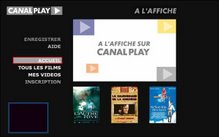
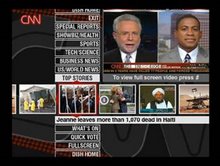
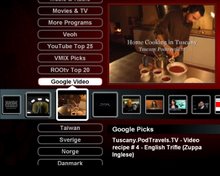
I have attached below a list of known TV-web channels or sites. However, such a list quickly falls out of date. I did not include sites from the USA which would have included some interesting examples, such as access to YouTube, Google Video, Veoh, Vmix and more. Also not included are sites from Japan, Korea or Taiwan, whose listings’ would have required additional font support.

As previously described, there are many ways to build or lay out TV-web. When Microsoft introduced the Media Center Edition (MCE) PC, it offered a suggested set of guidelines to show how TV-web, intended for MCE presentation, should look. Although there may be practical reasons for following these guidelines, a TV-web developer can nevertheless build anything they see fit, using any web publishing tools available.

The MCE PC has a means of adding “more programs” to the TV-web channel listings. The name “more-programs” may not be ideal; it is likely left over from the time when TV-web was also known as media applications. Any TV-web channel can be added under the “more programs” channel listings. However, Microsoft selected certain TV-web sites to reside at the top of the TV menu and called them “spotlights”. TV-web channels added to the TV menu via use of “more programs” appear lower down on the TV menu. With the introduction of Vista, Microsoft has instead been calling TV-web channels “on-line media,” rather than MCE “more programs” or “spotlights”.

Like PC-web, once a TV-web channel is offered on the internet, anyone with a capable browser can access it. Using active-TV technology enables any Windows PC to access the site on behalf of a networked TV or Set-Top Box -- there is no need for an MCE PC. A number of TV-web channel suppliers are trying to restrict access to their site to certain geographical locations – such as, for example, the BBC limiting access to the UK. This is generally accomplished via IP address filtering: If the viewer’s IP address is not determined to be located in the correct geographical region, the request for access to the TV-web channel is not granted by the server.

Because Adobe Flash Video (FLV) is very popular with PC-web sites supporting video sharing, it is increasingly used with TV-web channels. Use of FLV was not covered in the MCE TV-web development guidelines. Current active-TV technology supports the distribution of TV-web channels using FLV to devices such as networked TVs and networked STBs located around the home. However, other devices with similar technology, including Media Center Extenders, do not support the use of FLV video. Where these Extenders are similar to active-TV technology is in their support for Windows Media Video (WMV) and MPEG2 video.

Feedback, corrections and comments welcome.
Daniel Mann

link to list of non-US TV-web channels

Wednesday, August 16, 2006

Should TV-web be formated with HTML, MCML, WinFX or CE-HTML ?

Active-TV Ecosystem Developers,

The Wall Street Journal [WSJ] reports that the "TV Portal Service Corp" has been formed by a Japanese consortium to develop a common standard for TV-web. A specification is expected in spring 2007. It is likely that the standard depends on a reduced-sized browser-engine, or micro-browser. The browser would support a reduced HTML format; know as CE-HTML (Consumer Equipment), or sometimes c.HTML (Compact HTML), or more recently Web-4-CE.

    [WSJ] Sony, Panasonic, Sharp, Toshiba and Hitachi are understood to be developing a joint Japanese standard for internet-connected televisions to address competition from the computer industry for broadband video services.

    [WSJ] The Japanese consumer electronics companies aim to develop broadband-enabled televisions that can download and display videos from the internet without the need for a separate set-top box (STB) or computer.

The WSJ suggest that MHP (Java based) was intended for just such a standard. This is somewhat incorrect; Yes, MHP specified a run-time standard for applications; But, these applications were initially intended for broadcast distribution and not IP distribution.

    [WSJ] The MHP or Multimedia Home Platform specification, the basis for the OCAP specification formally adopted by the American cable industry, was intended to provide just such a standard, but its adoption has been frustrated by wrangling over technology and licensing.

I do agree with the WSJ that HMP and its follow-on OCAP have not demonstrated adequate technical or marketing success. Consequently, MHP looks an every weaker competitor to IP application distribution, supported by a STB micro-browser conforming to a CE-HTML standard.

Further comments from the Sydney Herald:

    [SH] The new televisions will use Linux operating systems instead of Microsoft Windows, it added. That feature is aimed at cutting the time needed to boot up and reducing the risk of virus infection. Together, the five companies expect to sell 10 million to 20 million units by Japan's 2011 changeover to terrestrial digital broadcasting, according to the report.


What is the suggested: “competition from the computer industry” ?

Web pages are formatted according to HTML and various extensions. It has always been possible to format a web page for display on a TV, but mostly this was rare and HTML was used for PC-web.

With the introduction of the Media Center Edition PC (MCE), it was made easier to put the PC’s familiar Internet Explorer browser to work in support of TV formatted websites - which Microsoft prefers to call “spotlights”. The MCE software includes some extra browser “helper routines”. These helper routines are not included with the Windows XP browser, hence making access to TV spotlights only possible from an MCE PC.

PC-web and TV-web developers are free to use any tools they like, or any style they prefer, in the development of a PC-web page or TV-web ‘channel’. However, the introduction of the MCE PC has encouraged many from both inside and outside the PC industry, to start developing TV-web using an HTML standard.

The PC browser and its extensions and helpers are too complex to be easily supported on a simple and inexpensive STB. Consequently, a PC is required at the TV location, or the PC must project its browser image over the network to the STB connected to the PC. This second approach conforms to the Extended-PC principle. The Japanese consortium described above, is likely an effort to remove PC browser dependence; by reducing the HTML standard to a simpler CE-HTML standard which can be supported by a standalone STB.

The Extended-PC approach is utilized by MCE, Intel ViiV (NMPR portion) and active-TV. These all support TV-web using HTML. However, there are differences in how the browser image is projected to the TV’s STB. This leads to what is called an Extended-PC ecosystem; Where a client STB (or other type of client, such as an Xbox) is limited to operating within only one ecosystem.

Active-TV collaborators provide alternative helper routines, resulting in TV-web sites accessibility from any Windows XP PC. An active-TV enabled STB displays TV-web channels after they have been first formatted by a browser-engine of a networked PC.

With the introduction of Windows Vista, Microsoft plans to add two more standards for formatting TV-web. They are WinFX browser applications and MCML (Media Center Markup Language). Microsoft has indicated the 2 new TV-web standards will only be supported by the new Vista PC. The current MCE will support TV-web HTML. Without active-TV support, Windows XP does not directly support TV-web HTML, MCML or WinFX browser apps.

From the Microsoft SDK (remember there are other companies which offer an HTML SDK):


WinFX Browser Applications (XBAP) can make direct calls on the FX graphics drawing routines. This enables a very high standard of TV-web graphics, but requires considerable more underlying hardware support than is generally available with a STB.

In the future TV-web application developers will have a lot of standards to choice from. Use of HTML likely offers a more advanced TV UI than CE-HTML, but less ‘rich’ than MCML or WinFX. Possibly more significant will be the number of viewers reachable as a result of selecting a standard. It will be some time before Vista or CE-HTML platforms are adopted at TV locations in sufficient numbers to offer more viewers than HTML. There is also no conclusive analysis indicating TV viewers will demand a ‘rich’ TV-web over something more ‘passive’ but appreciated.

Feedback, corrections and comments welcome.

More at:

http://blog.mediacentersandbox.com/PermaLink,guid,817c2b05-2a9e-47ac-80c9-1c4db5b26c18.aspx

http://blog.mediacentersandbox.com/default,month,2006-03.aspxwww.wsj.com

www.wsj.com

http://www.smh.com.au/news/World/Companies-to-develop-internet-TVs/2006/08/03/1154198247668.html