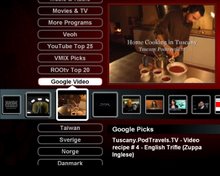
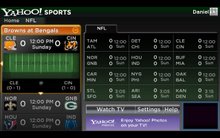
Active-TV Technology for iPhone and iPod touch

Active-TV Technology for iPhone and iPod touch
Navigate YouTube

Navigate YouTube available at iTunes App Sore

An easy to use iPhone and iPod touch App that enables both new and advanced YouTube users to get the best from YouTube.

Browse video Standard Feeds, Categories, Channels and Playlists. Then organize new videos into your own favorites and playlists. Make playlists private or public. Subscribe to other user's playlists and video collections for future viewing. Subscribe to videos matching search-words.

Look at publicly viewable favorite videos, playlists and subscriptions based on your YouTube friends, family and contacts. Send and receive video links with YouTube contacts via YouTube video messages.

Search for new videos tagged for your language or geographical region, using local keyboard. Explore for new videos via easy switching of user ID to the owner of interesting videos - then explore their world.

All actions are kept in sync with PC, Mac or Apple-TV access to YouTube. Available at Apple App Store.

active-TV technology for PC

active-TV technology for PC
Windows PC based home network

Wednesday, August 27, 2008

x86 software for the living room TV

The Issue: Intel revealed more details at IDF about its TV chip based on an integrated x86 CPU, which lowers the barriers for networked TVs utilizing PC-like software

Behind the scene: I expect many high-end TV developers to closely consider the new Intel TV chip. Has any lack of clear leadership or innovation from the traditional TV chip suppliers left them vulnerable to market share loss? Or do they know something about the home TV user that new entrants have yet to grasp?

Solution: There are many competing technical and business approaches in support of digital convergence for the TV. Introducing a cost-effective Intel TV chip is clearly some kind of milestone. However, given Intel’s experience with Viiv, it should be aware that there are still critical and necessary development steps ahead: developing infrastructure, partners, and customers, and most importantly communicating the value to end users – these remain paramount and time-consuming steps to be undertaken.

Intel provided more information last week at the San Francisco Intel Developer Form (IDF) about their efforts to bring the software advantages of the x86 architecture to the living room TV. Prior approaches branded as ViiV had little success and partially relied on Microsoft Media Center technology. The new approach is very different and based on incorporating an x86 ‘Pentium M’ processor into a TV System-on-a Chip (SoC).

The x86 CPU architecture has a software advantage because of its use in the PC. This has lead to a long history of extensive and complex software being developed for the PC, which is frequently not made available (“re-targeted” as the technical types say…) for other CPU architectures. A good example of this is Adobe’s Flash, that essential plug-in to the PC browser. For non x86 CPU-based devices, Flash is either not available or available several generations removed from the current offering.

As digital convergence proceeds, consumer appliances are required to support software applications, which have thus far been the domain of the PC. It has proven difficult for traditional TV SoC suppliers, who do not rely on an x86 CPU core, to develop software to enable a TV to perform PC-like tasks, such as web browsing.

Intel documentation provides a block diagram of their CE3100 TV SoC family. Coupled with “aggressive” pricing, Intel is on course to have a significant influence on the initially high-end TV and Set Top Box (STB) markets. Using the CE3100 family, devices such as the Apple TV, which currently uses a PC-like architecture, can carry a lower hardware component cost. In fact, the CE3100’s support for processing a broadcast digital Transport Stream (TS) enables support for features currently beyond Apple TV.


As well as building a new range of TV chips, Intel will provide much of the software infrastructure supporting a CE3100-based networked TV. For this, they have to combine networking and web processing software with traditional TV software (what the engineers call dual software stack operation). Intel press releases indicate that they have worked with Futarque on this task. Interestingly, Futarque also collaborated with AMD on active-TV technology STBs.

No matter how enthusiastic technologists and business analysts are about the potential of TV convergence, it s is not clear how much technology the TV user really wants. Maybe a 3D UI with Flash animation is not desired by many? Maybe something much simpler, such as the very successful MHEG5 deployment in Europe, will continue to satisfy most TV users? That said, MHEG5 may not be left behind: there are companies working to add Ethernet and social network support for simpler MHEG5 TVs. If the CE3100-derived TV remains open (like the PC browser, for example) then it will gain the attention of many software developers, who will experiment and find hybrid software combinations that meet with TV user approval. However, if TV OEMs close their TVs -- like the Apple TV -- to “monetize” all convergence features, then the uptake will be much slower.

Increasingly, efforts such as MHP, OCAP or tru2way appear dated before they even have their day-of-success in the market. Their inability to deliver acceptable software solutions has left the market open to the CE3100, which draws upon software with a proven PC history.

Both the Intel Viiv and AMD Live!-branded projects, promoted as supporting digital convergence, met with little success. Interestingly, as Intel finds a new way forward via an x86 based TV SoC, AMD announces it will sell to Broadcom the TV SoC business it acquired with the ATI merger. AMD’s analysis of digital convergence would appear quite different from Intel’s

Technically Speaking
Requests by the networked TV to access an Internet webpage or widget are sent to the home router; and then on via the router’s broadband connection to the webpage or widget server. A TV must process the webpage or widget when it arrives. This requires complex software, which has traditionally been incorporated into the PC’s browser. A TV based on the Intel CE3100 has an advantage when stepping-up to perform these complex software tasks.

The active-TV technology approach relies on the router handing off much of the software task to a proxy in the form of a networked home PC: It enables a TV SoC not equipped with an x86 processor to access a PC’s software processing advantage. The TV’s request is first processed by the PC assisting the TV, and then simplified data is sent by the PC proxy to the TV for display. Some TV developers may prefer this approach as it reduces the prospect of TV obsolesce. The TV “borrows” the PC’s browser in support of its Internet access. This reduces the task of maintaining the TV’s browser software. TV purchasers expect a 10 or greater-year lifespan from their TV, as they would like to avoid the 3 year replacement cycle of traditional PC ownership. Conversely, TV manufacturers likely feel differently and would like to shorten this lifecycle.

More than Networking
Pioneer, Sharp, Samsung, Panasonic and others have introduced TVs with network support. Sometimes they are described as DLNA- or UPnP-enabled TVs. These TVs can access photos, music or video stored on a PC, which are also connected to the home network. Partly due to lack of simplified standards, these TVs are often poorly equipped to access Internet broadcast video directly.

Using an approach similar to active-TV technology, these TVs can use PC assistance to gain access to Internet video. MediaMall, a supplier of active- TV technology components, has announced a Beta version of its PlayOn software. This software runs on a PC that then acts as a proxy for the TV trying to access broadband-delivered video. Typically, a PC is used to access video from Hulu, YouTube or the like. But by using PlayOn, a PC can forward the video to any TV within the home network. The PlayOn software greatly extends the usefulness of a “simple” networked TV. A user can completely control video search and viewing using the TV IR remote, without requiring any contact with the PC assisting the TV.

Active-TV technology is more advanced than PlayOn, as it enables the PC to serve as a proxy for the TV accessing TV-formatted web pages that likely contain Adobe Flash. However, using active-TV technology requires a TV with middleware support beyond DLNA-UPnP. The simpler PlayOn software works with existing DLNA or UPnP-enabled TVs. Similar DLNA-TV supporting software from TVersity has been widely used for much the same task (2 Million downloads). TVersity is currently a more mature product, with reviewers indicating that, “at the moment PlayOn’s list of supported devices is much smaller than TVersity’s”. However, PlayOn is at the Beta-release stage. Their initial support for only online services indicates a focus on premium video services (such as Hulu), versus local PC-stored media.

Don’t forget the game platforms
For some time now, game platforms such as the Xbox, Playsation and Wii have included network support. This has enabled them to offer limited access to Internet broadcast video. Powerful as these game platforms are, they are not equipped to access the Internet with a browser as up-to-date as those used by the PC. This restricts their use for TV-web browsing.

Interestingly, in an effort to extend its audience reach, the BBC recently introduced a website tailored for the limited Wii browser. This enables access to BBC’s iPlayer catch-up video service. But to deal with current Wii limitations, the BBC must serve-up the video in the older Flash 7 video format, rather than the more efficient H.264.

We can expect to see versions of TVesity and PlayOn which further extend the types and variety of game platforms able to access video. These will no doubt rely on a PC assisted approach. Unlike the BBC, the PlayOn team can’t change the format of the served-up video, but they can use a PC to massage the video into a format digestible by simpler devices. The PlayOn website already indicates there will shortly be an enhanced version of PlayOn for the Wii.

Also relating to game platform developments, BroadQ had been working on PC-assisted software for the Playstation 2 (PS2). Recent developments indicate they have shifted to a method wherein the PS2 can access Internet video directly over a network connection – no PC assistance is required. BroadQ’s PS2 software is developed in Lua , much like some Sony PSP applications. Reports indicate the Qtv-branded software can directly play Internet video in FLV, H.264 and DivX formats. To simplify the Qtv PS2 software, the system relies on an Internet-accessed BroadQ server. This should prove interesting competition to the Wii when used to similarly access internet broadcast video.

What next
There are other platforms that avoid using networked PC-assistance, by supporting only simplified browsing -- such as the Syabas Digital Media Player box. Their DMP (also know as the Popcorn Hour A-100) supports most of the CE-HMTL format. Several sites are available for use with the DMP. The sites are accessed via a Media Service Portal (MSP). Maybe it would be better to call them portal plug-ins rather than websites.

Observers of digital convergence can only be impressed by the relentless efforts applied to bring Internet technology or interactivity to the TV. The CE3100 TV SoC is Intel’s best effort yet to make the x86 CPU architecture affordable for deployment within new TVs. On the one hand, it leverages a software installed base that includes support for Adobe Flash and other vital video entertainment software building blocks; on the other, it requires a new set of tools (and perhaps complexity) traditional TV manufacturers are not familiar with, as well as somewhat higher initial costs and perhaps the risk that consumers are not ready to embrace ‘full-on’ Internet-broadcast TV. Moreover, it is not the only technology or approach available, and some of the incremental approaches (with or without ‘borrowing’ PC browser assistance), may be just as valid, at least in the short term.

We will have to wait and see how the roll-out of the CE3100 TV SoC affects the evolution of the TV convergence market. To be sure, there will be business pressures to use it in only closed system. In view of competing and perhaps equally compelling approaches, however, I suggest Intel will gain the most traction in the market if it offers an ‘open’ platform for any software developer wishing to reach the TV screen.

Feedback, corrections and comments welcome. Contact me for more information or support with active-TV technology development.
Daniel Mann


Monday, July 7, 2008

Google to support the living room TV

The Issue: Google and others want a role to play in support of the living room TV. But how are TVs developing such that Google can have a role.

Behind the scene: Most if not all TV manufacturers are developing models with network support. These UPnP TVs enable media to be transferred between the TV and other networked PCs, appliances and servers.

Solution: The likely next-step after adding UPnP networking is for TVs to support browsing of TV-formatted websites. The life expectancy of a TV is long. This is why a TV may have Ethernet built-in but wireless networking technology, which changes more frequently, is likely left to an external add-on. Will browser technology be built-in or will it be left to as an external support role.

Efforts to get the PC and TV to work together continue. There is a desire to have PCs, TVs and hand-held devices, cooperate with each other. But as reported by the Wharton Business School, it is proving difficult to develop solutions which gain broad market acceptance.

One solution which has emerged with broad acceptance is the inclusion of Universal Pug and Play, UPnP, in new networked TVs. Further evidence of this is Google’s recent announcement of a PC UPnP server – Google Media Server. As mentioned in the NYT, a key point in their announcement is: “Google can offer a hardware maker a very easy way to add Internet video capability to a television”.

The last100 blog reports the Google server “works in conjunction with Google’s desktop search application - Google Desktop - to locate various media (photos, music and video) stored on your PC and make it available for streaming over a home network to any UPnP compatible or DLNA ‘certified’ device, such as a PlayStation 3” or TV.

There are already plenty of PC UPnP servers available, so why is Google entering the game? The Google PC sever can process information about media - know as metadata - in interesting ways. This can remove the TV from the burden of organizing media. A PC user can search and arrange media which is later enjoyed at the TV.

The information provided by the Google UPnP server need not relate to only PC-stored media, but also include information about web-accessible media. Perhaps the PC server is only a piece of the Google plan. A TV accessing web-video could be assisted by the PC’s UPnP sever, and make use of the media information organized at the PC.

A TV connecting with a Google server via broadband to the home can use the existing YouTube video library API to access video directly via the TV’s internet connection. Of course a broadband connected TV could also access some other video severs’ video resource. If Google extended its API it could upload meta-data from the PC sever to a Google web-sever. A broadband connected TV could then make access to the media meta-data without requiring networked PC assistance.

In all cases, the UPnP TV User Interface (UI) is determined by local TV firmware and not sent over the network connection. The media may be sent to the TV over the network, but it is up to each TV manufacturer to decide how to present the media on the TV screen. A UPnP TV is a step forward but it is not equipping a TV with the browser capability of a PC; where PC-webpages are sent over the network and used to format the PC display. So what is the next step for the UPnP TV?

It is clear that TV owners want some things built-into their TV and some things left out. They don’t want a VCR built-in, they don’t want a DVD player built-in, they do want a digital broadcast tuner built-in. With next generation TVs, customers want home network support, including UPnP access to media held on a PC.

TV purchasers want to also view video and photos delivered over the web; But it is not clear if the web browser and its plug-ins should be built into the TV or supported by an external box of some kind. Maybe TVs will be built both ways. One clear option is to use an existing networked PC as the “external box” supplying the TV with browser support.

Internet video broadcasters and TV-website developers, should be required to build a single TV-oriented TV-website which works with, both, a TV using a built-in browser, or a TV using an external browser. In the same way a VCR tape works with a built-in player or external tape player.

Flash is the most widely used browser plug-in. It seems essential that a browser built into the TV must support Flash. However, embedded browser developers are still finding it hard to integrated Flash into a TV-sized browser. (Apple TV has the internals and cost structure of a PC, not a low-cost TV chip.) Until this task is accomplished, it is much easier to use active-TV technology to support the TV with an external browser which does have Flash support. In fact for some TV purchasers may continue to prefer this approach. We don’t yet know.

The recent Adobe announcement regarding removing licensing fees when embedding Flash into non-PC video play-back devices, will help ensure Flash as the next “standard” beyond UPnP. TVs and STBs using Flash and AJAX (web 2.0 technology) can accomplish much more than a TV only utilizing UPnP.

Feedback, corrections and comments welcome. Please Contact me for more information or support with active-TV technology development.
Daniel Mann

Tuesday, May 6, 2008

BBC News channel restored, via RTMP support

The Issue: Web and internet technology are always advancing. PC users are familiar with getting software updates enabling support for the latest and greatest features. TV-website support for BBC News video was recently interrupted due to a BBC technology upgrade; but now service has been restored following some rapid PC-side software improvements.

Behind the scene: A TV intended to support internet video browsing must deal with the continual change in internet video broadcasting technology. This is much more difficult to achieve using low-cost embedded microprocessor technology than a PC. This leads to the temptation to tie a networked TV to a managed portal service. But who wants a TV than can’t ‘tune’ to any internet broadcaster’s ‘channel’.

Solution: Active-TV technology pushes the burden of supporting software complexity from the TV to the networked PC assisting the TV. This simplifies the task of keeping a networked TV updated with the latest features being used by an internet broadcaster. Importantly, this ensures a long and useful life for the networked TV.

There are several free-to-download TV-websites available at this blog. One of the most popular has been the BBC News channel. Recently and unexpectedly the BBC channel stopped working. This was a result of technical changes at the BBC. I am pleased to report that a new TV-website has been developed and living room TV access to the BBC video has been restored.

The BBC maintains RSS video feeds for access by internet users. The RSS information is in XML format and contains links to individual videos. After examining the XML document, the TV-website software selects an individual video and a request for transportation over the internet is sent to the BBC. Until recently, the BBC was ‘sending’ the video via a protocol known as HTTP, but now they are using Adobe’s RTMP protocol.

A number of other internet video broadcasters are also using RTMP, notably Hulu. Active-TV technology collaborator MediaMall has been working on a new Hulu TV-website – it was mentioned on their blog. To enable access to Hulu video (and other RTMP streaming) they constructed a software module supporting RTMP. Recently they have been offering this optional module to TV and Set-Top Box developers.

Networked TV and STB developers have been relying on UPnP communication stackware from a verity of suppliers. MediaMall has not been one of these suppliers. This was the case with D-Link, but in support of Hulu video, D-link will be incorporating MediaMall’s RTMP extensions into their PC-side software. (The RTMP video is translated into the familiar HTTP before being sent over the network to the DSM-520). This will be included in a larger software update soon to be issued for the D-Link DSM-520.

I have tested my new TV-website using an early version of the new software bundle. The TV-website makes HTTP formatted requests for RSS data, and RTMP formatted requests for individual videos. D-link undertakes their own testing and will release a version of the updated PC-side software from their PC-website. Those who feel they can’t wait can download the current beta version.

Feedback, corrections and comments welcome. Contact me for more information or support with active-TV technology development.
Daniel Mann

Tuesday, April 29, 2008

TV widget support update

I am working on additional TV widget support, but wanted to release the existing software. This will enable those using the TV-websites available from this blogsite to make use of the previously described TV widgets. I will eventually add widgets to each of the TV-websites listed under “Free TV-web channels”.

With widget support included in a TV-web channel, the Settings page offers a “YourMinis widget” menu entry, as shown below. The current 16x9 TV-web format has room for two widgets. The “widget 1” is positioned immediately below the 10-entry video list. The second widget, “widget 2”, is position to the right or left of widget 1, that is, just below the video still-image.


After setting one of the 3 menu entries to select a widget, the user should return from the Settings page to the Video Menu page. The available widgets will appear under the previously selected menu. These widgets are supplied from an RSS feed. I intend adding more widgets to the RSS feed.


Widgets can have a configuration value. For example the Weather widget requires a US postal zipcode. A box is provided for entering a new configuration value. Triple-tap of the TV IR remote is required when entering a new widget value, such as a zipcode. See the example below.


Each channel, or TV-website, can have its own widget selection. The user's preferred widgets, along with the widget configuration values, are stored as cookies. This ensures the selected widgets are restored each time a user returns to the same TV-website.
Daniel Mann

Wednesday, April 16, 2008

Yet Another Internet Set-Top Box

The Issue: The avalanche of “Internet-enabled STB” announcements shows no signs of abating anytime soon. Given the number of detractors let alone prior failures, what continues to compel their advocates?

Behind the scene: No widely accepted standard for TV-based Internet video browsing has yet emerged. Clearly, it makes sense to enlist game platforms -- many of which are already connected to the Internet -- to the task of video browsing. But what can be learned from such efforts, regarding the task of enabling Internet browsing for TVs in general?

Solution: After all else has been tried, it seems likely that the forces of ‘lowest cost’, ‘simplest maintenance’, ‘longest useful life’, ‘unrestricted operation’, ‘easiest installation’, ‘minimum development complexity’ and ‘most user features’ will decide what hardware will be used for Internet video browsing at the TV. Active-TV technology is well placed for a decision based on these criteria.

Blockbuster, Vudu, Netflix, TiVo, Apple TV, BuildingB are some of the better known US companies introducing a Set-Top Box (STB) to enable TV access to their Internet-delivered video. There are many lesser-known units, such as the Myka, which bring BitTorrent directly to a box connected to the TV. (The 80 GB-version Myka 80 costs $299 and the 500 GB-version costs $459 -- typical prices for such boxes.) The Apple TV at $229 is said to make little profit. One of the lowest cost media adapter boxes is the D-Link DSM-520, currently selling for $150 at Circuit City.

Why so many boxes? The answer lies in an Internet video broadcaster’s requirement for a box to support a “please use my portal!” strategy. With few exceptions, notably the D-Link DSM-520, these boxes do not support open Internet video browsing. Rather, they are the hardware underpinning for a “walled garden” approach, one that delivers video from the broadcaster’s video library to the TV watcher. The fact that all prior Internet-STB projects with similar business models have failed does not deter repeated optimism for releasing new hardware.

Home users in the US have shown significant reluctance to purchase of any new STB – even the easy-to-use Apple TV. The idea that a user may require one STB per Internet broadcaster seems less than practical. But the business models on trial are driven by a common ambition to be a dominant video supplier or ‘video aggregator’ with a single STB that everyone uses; to be sure, a bit like Apple’s hope that the Apple TV would be the “DVD player for the Internet age”.

Why a STB and not the TV
Closed portal strategies are tied to STB use. This is because integration of Internet browsing directly into TVs has even less appeal because TV buyers are least likely to buy a TV which can only ‘tune’ to a single Internet broadcaster. The latest generation TV system-on-a-chip (SOC) devices with networking support make it technically possible to integrate access to one of today’s portal services, but it is far from clear how the TV’s support firmware can be maintained over a TV’s expected lifespan (6 – 10 years).

A relatively easy and certainly inexpensive way to give a TV access to Internet video is to use a PC-assisted approach, such as active-TV technology. Once such a system is installed at home, it enables the TV to use the latest Web 2.0 methods to freely browse any video broadcaster’s TV-websites. Notwithstanding clear advantages, some new developers still ask me how to get rid of the PC from the system. I am familiar with the methods of achieving this. But they come with significant tradeoffs…

From both the buyer and manufacturer points of view, it is important not to add to the cost of the TV; and equally important not to add software maintenance issues to the TV. It is also important not to limit the useful life of the TV. Also, the TV UI must be sufficiently responsive to keep pace with both the requirements and expectations of users familiar with PC Web 2.0 technology. Moreover, it is important to ensure the TV will be able to browse new Internet video broadcaster sites for years to come. Can all of this be achieved if the PC-assist approach is replaced with new integrated-TV technology? Needless to say, these requirements result in conflicts.

Making the TV smart enough
The non-PC-assist approach is to embed a small browser engine into the TV. This adds some cost and complexity to the TV. The closer to full Web 2.0 support required, the greater the cost and complexity entailed. Additionally, Web 2.0 keeps developing, such that the "chase" never ends. Leaders in developing these small embedded browsers are Oregan Networks and Opera.

Despite the failure of Intel Viiv and AMD LIVE! to gain a significant ‘hold’ of the living room TV, Intel and AMD nevertheless have development projects, Kenmore and Bobcat respectively, to integrate a lower power x86 cores into a TV SOC. This is an old idea, based on the understanding that the necessary support software is more available for x86 than the types of core processors used in, say, TV SOCs from Sigma Designs or ST Micro. Will TV users demand browser support features which leave non-x86 TV chips at a disadvantage? Will even the embedded x86 TV chips be able to satisfy users familiar with the latest Web 2.0 features available on their PCs? The unassisted TV approach likely has some user appeal, but once a TV is connected into the home network, it is very easy for it to be without any competitive disadvantage in terms of video browsing support – the TV just has to ‘wake up’ a networked PC and put its browser on proxy duty.

Most of “ultimate Internet aggregation” STB or digital media adapter projects (including Apple TV) are based on x86 because of the software development problems. So far, potential buyers have indicated the resulting cost increase is too much. Printers, DVD players, hard disc recorders, home wireless networking and other peripheral devices, are best not built into the TV. Maybe Web 2.0 support (if that is what is required) should also not be built into the TV?

TV developers have told me it adds zero hardware cost to include active-TV technology with a new networked TV. The PC is a good peer-to-peer or BitTorrent engine. Torrent support can be relatively complex for direct integration into low-cost TVs. I can see that for some implementations it may be useful to have a TV torrent box such as the Myka, but how many consumers will think it worth more than $300 when there are zero-cost TV-websites with complete torrent download control available? Via these TV-websites and the home network, the TV can ask for PC-assistance in managing the torrent on its behalf.

Reaching a TV audience
Recently announced are the Adobe Media Player and Adobe TV, a video aggregation website which is brand skinable and has advertising support. Adobe says, “In a (technical) nutshell, Adobe Media Player is an RSS aggregator. It consumes standard Media RSS feeds to notify and deliver video content to users.” The RSS mashing part sounds a bit like TVersity or Orb.

While the Adobe Media Player is described as skinable, this does not extend its capabilities to supporting a TV-formatted website, where navigation is via the TV IR remote rather than a desktop mouse. The Adobe Media Payer may be billed as a “cross-platform desktop player”, but it does not appear intended to work with a small browser embedded into a TV or STB – Adobe is not (yet) trying to reach a living room TV audience. Their technology relies on the more extensive PC support features (Web 2.0) to perform its media-oriented UI and RSS aggregation services.

One company trying to bridge the divide and reach a living room audience is the BBC, which has launched Nintendo Wii support for its iPlayer TV catch-up site. Game platforms, such as the Wii and Sony Playstation, support small Internet browsers. This does not allow them to access typical PC-websites such as www.youtube.com, since these sites make use of too much Web 2.0 technology or methods for the small browser to handle (Opera -- in the Wii case). The Wii can access websites which have reduced complexity and are tailored for the Wii – I think Nintendo calls them ‘Internet Channels’.

Maybe this is the future of Internet video browsing – the establishment of some simpler-formatted TV-website standard? However, there is also push to add widget support and social networking to TV-websites which conflicts with broad adoption of simpler standards. In any case, it is easy to see how the task of adding TV-website support into TVs will stretch TV developers – and they typically have less software development skills than game platform developers. In contrast, the active-TV technology approach results in relatively easy engineering tasks.

To dwell on the Wii’s Opera browser a little longer, it does not support the latest Flash video formats or permit access to video utilizing advanced encoding -- a big restriction to extensive browsing hopes. To get the iPlayer to work with the Wii the BBC has to re-encode its video library in the older Flash 7 format. Separately, Scendix Software, known for its development in MCE TV-web applications is also now retargeting some of its applications to the Wii. These carefully crafted projects will bring an audience to the Wii, but it is not clear if it will provide anytime soon a broadly accepted integrated-TV solution to Internet video browsing...

Escaping the PC?
On the BBC blog, I read Anthony Rose’s (head of digital media technology) comments: “Today, most people watch iPlayer programmes on their computer. That's great - you can watch your favourite BBC programmes curled up in bed with your notebook PC”. He goes on to suggest that it is easier to connect the Wii to the TV than a PC to the TV. This of course is true. But the harder task is connecting anything to the home network.

Any video browsing device must be connected to the home network, be it a Nintendo Wii, a networked-STB, or an active-TV technology-enabled TV. This is proving the hardest task for the home installer who typically prefers to use a wireless network rather than a high-speed wired connection. The option to utilize PC-assist is largely irrelevant to the complexities of this installation task. With few exceptions, a person installing a video browsing platform has already connected a PC or notebook computer to their home network – this is the path taken to reach any broadband service. Any network-enabled TV, therefore, is in a position to access personal media stored on other devices within the home network, including a PC. Given the existing reliance on the home network and attached PC, why not also ‘borrow’ the PC’s browser to help the TV with some Web 2.0 video browsing, in a way most likely invisible to the PC user?

In so doing, you can curl up in bed and watch Internet video on your new active-TV enabled TV (rather than the notebook PC), without ever thinking about TV browser upgrades or browser obsolesce. In other words, you can think of the PC-assist approach as similar to attaching a networked printer to the TV. The TV can be used without a ‘printer’, but it is sometimes useful to have it attached (for example, in the case of the attached PC, when Internet video browsing). In other words, the TV works without the networked PC, but when available, the TV can do so much. Best of all, this is accomplished without adding any hardware cost to the networked TV.

The market has not yet decided which approach is the "correct" solution. What portion of the market will use PC-assist? What portion will use an embedded STB browser? Will STB buyers accept ‘walled garden’ portals or demand open Internet browsing? To be sure, the PC-assist approach solves many problems for the TV supplier: it affords the lowest cost, provides for ‘tuning’ to any Internet video broadcast, and ensures the longest TV life – these seem like pretty compelling arguments to me.

Feedback, corrections and comments welcome. Contact me for more information or support with active-TV technology development.
Daniel Mann

Wednesday, April 2, 2008

Views and habits of the Amercian pay-TV consumer

The Issue: Will the lingering business models of the US Cable TV service providers be reapplied to the internet connected TV?

Solutions: With no broadly accepted solution to TV digital convergence, the Cable TV service providers are looking to expand their systems to satisfy their users’ demand for new digital services. They bring with them the business models of the US Cable TV industry.

Behind the scene: Active-TV technology combines the best of the TV industry (longevity, reliability, openness) with the best of the PC industry (computationally power, web 2.0 software technology, openness). By enabling the use of web 2.0 methods, active-TV technology is ideal for low-cost TV developers who wish to improve upon or circumvent US Cable TV business models.

Many analysts and developers anticipate mainstream TV users will have their TVs connected to the internet via residential broadband service, thereby enabling browsing of internet-delivered video or web pages formatted for the TV (i.e. TV-web). The success of the internet, added to US consumer familiarity with paying monthly fees for cable TV service, has contributed to speculation about what new revenue-generating services can be enabled by networked TVs.

An ABI Research report, “Pay-TV and the American Consumer” examines what new service may be offered (see "chart 1.6" below):


There seems much more desire to do a better job at “monetizing” (as the MBA’s say) the application of internet technology at the TV than was apparent when the PC first connected to the internet. For example: currently TV suppliers do not share in the revenue produced by video or ads consumed at the TV, they make their money from the retail purchase of the TV. Similarly, laptop computer suppliers don’t make any money from the owners’ viewing of advertising on webpages accessed by the laptop. However, there are some TV developers and US pay-TV suppliers, exploring how they can “share” in the video and ad revenue produced by an internet-connected TV.

PC and laptop users are already familiar with unrestricted PC-web browsing. However, to enforce these new monetizing strategies, it is usually suggested that the TV function with a portal service rather than have freedom to browse the internet. Video aggregators play a key role in the proposed portal strategy. These aggregators provide the video for the portal. If a networked TV is ‘locked’ to a portal then the TV supplier is in a good position to negotiate revenue sharing terms with the aggregator. The aggregator supplies the TV UI and hence via pre-run, or other display methods, is ideally able to also inject advertising.

Unproven is the TV buyer’s willingness to purchase a TV tied to portal service. Traditionally, a Set-Top Box (STB) could be tied to a particular service, but not a TV, which was expected to “tune” to any channel. Perhaps this is why Apple has not introduced an integrated Apple TV, assuming that like the current Apple TV box, the TV would be restricted in the internet URLs it could ‘tune-in’. Likely only Apple’s TV portal would be accessible (TV-web pages have a URL network address just like PC-web pages).

Turning to the ABI Research report: “Perhaps the truism that Chart 1.6 supports the most is that pay-TV providers have only a tenuous hold on the vast majority of their subscribers, and they are vulnerable to churn. Several respondents voiced their frustration with their service providers’ pricing. The following comments reflect customer discontent:

‘I feel that cable prices have become outrages.’ ” [ABI Research report]

The ABI analysts asked US TV users if they would pay for new features such as accessing email, communication features, interactive services, transferring content from a PC, viewing personal content, and much more. For example the report states, “an additional $20 might bring communications features such as instant messaging and the ability to read e-mail on the screen.” I think they mean for an additional $20 per month. I am surprised at their willingness to pay for TV features which are generally regarded as free when accessed from a PC or notebook computer. Possibly unknown to some of the survey responders is that today the purchase of an active-TV technology enabled box, such as the D-Link DSM-520, will bring many of these features and without the monthly fee. This is because the TV user is provided with unlocked web 2.0 technology.

All of the ABI suggested features can be enabled with widgets, Flash, HTML, AJAX and other familiar Web 2.0 methods; such as TV widgets which support social network communication at the TV. Given that TV developers are currently integrating active-TV technology which will shortly be available at retail, unless they all enable URL filtering, portal locking or some legal device, the TV purchaser will be able to choose a freer form of internet-video browsing and new TV feature selection. If my analysis is correct, the business models applied to the networked TV will be similar to those applied to the networked notebook computer rather than the US cable TV service.

The ABI report would be even more interesting if they had included in their survey questions about selecting new TV features via the monthly service fee STB-approach, versus the choose-your-own website laptop-approach. Some in the TV/STB industry suggest the TV user may prefer the familiarity and quality of the single TV UI provided by the closed portal service. They suggest the TV user will become confused and dissatisfied with the varying nature of websites. By that they mean PC-websites or TV-websites do not have to conform to any standards, anyone can build them and web 2.0 methods can be applied as desired by their developer and not the TV supplier. I look forward to what is produced by this chaos. I think the TV user will ultimately appreciate and benefit from this openness.

Feedback, corrections and comments welcome. Contact me for more information or support with active-TV technology development.
Daniel Mann