Active-TV Technology for iPhone and iPod touch

Active-TV Technology for iPhone and iPod touch
Navigate YouTube

Navigate YouTube available at iTunes App Sore

An easy to use iPhone and iPod touch App that enables both new and advanced YouTube users to get the best from YouTube.

Browse video Standard Feeds, Categories, Channels and Playlists. Then organize new videos into your own favorites and playlists. Make playlists private or public. Subscribe to other user's playlists and video collections for future viewing. Subscribe to videos matching search-words.

Look at publicly viewable favorite videos, playlists and subscriptions based on your YouTube friends, family and contacts. Send and receive video links with YouTube contacts via YouTube video messages.

Search for new videos tagged for your language or geographical region, using local keyboard. Explore for new videos via easy switching of user ID to the owner of interesting videos - then explore their world.

All actions are kept in sync with PC, Mac or Apple-TV access to YouTube. Available at Apple App Store.

active-TV technology for PC

active-TV technology for PC
Windows PC based home network

Wednesday, January 2, 2008

Getting the most from YouTube video at the living room TV

The Issue: The YouTube PC-web site is a very popular video share site. In its present state, however, given that it is formatted for viewing on the PC, YouTube videos cannot be conveniently accessed from a living room TV.

Solutions: Active-TV technology overcomes this limitation and enables YouTube video to be easily viewed on any TV around the home. YouTube video is accessed via TV-web format rather than a PC-web formatted page.

Behind the scene: The TV-web site described below does not replicate all of the search features of the YouTube PC-web site; rather, the two sites work in tandem: The PC-web site features are used to ‘prepare’ video channels, which are then immediately available for easy viewing at the TV.

Below is an image of a TV-web site for YouTube video. The menu in the upper-right enables selection of 1-of-3 video channels, either pre-existing or easily created by individual users of YouTube. Currently, the “Flintstones” channel is selected. The second menu, in the lower portion of the screen image, is used to select individual videos from the selected channel.


The above TV-web site does not support searching for videos or arranging them into channels. No big deal, as this is easily done on the existing YouTube PC-web site. Consequently, the PC-web site and the TV-web site work together to give complete control over viewing video on the living room TV. The TV-web site has the advantage of being organized around the “lean-back experience” and group-viewing. Additionally, it is easy to simultaneously use a notebook computer in the living room to organize YouTube videos into channels, and then immediately view them on a corresponding TV-web site.

There is an added security advantage when eliminating support for random video searches at the TV-web channel: parents can pre-approve videos or video sources for all channels made available to children at the TV.

Before looking at how TV-web channels are selected, let’s first review some of the basics of YouTube access. YouTube members can upload videos for sharing and future review. Each member can arrange their uploaded videos into a YouTube Channel, or several Channels. In fact, a Channel can be constructed from other users’ uploaded videos as well. A members’ Channel is available for other YouTube users to view.

After logging into the YouTube PC-web site, a user can select the corresponding tab to either Videos or Channels. It is easy to search for new videos by selecting the “Videos” tab [shown below] and entering a search-string in the Search Box.

When a new video is found, it can be played in the familiar YouTube PC-web player. At the bottom of the player [shown below] are options to add the video to “Favorites” or to a “Playlists”. Unlike video favorites, the use of playlists enables saved videos to be grouped appropriately.


When a playlist is initially created (via the “[New Playlist]” option when using “Add to Playlists”) a title for the playlist must be entered. Also, the playlist must be marked “Public” or “Private” [as shown below]. If a playlist is Public, then other YouTube members can access the playlist without having to enter a password for the member who created the playlist.


An easy way of accessing Favorites and Playlists is by clicking on the hyper-linked user-ID at the top of the page. When I click on “daniel78746” at the top of my YouTube page and then select the “Playlists” tab, I can access all of my saved playlists.


By using the “Edit Playlists” button, I can make changes to my playlists; such as changing the order in which each video plays. There are other ways of navigating to the same “My Account / Playlists” page.


Remember, it was stated earlier that each member can have YouTube Channels. The “Channel” tab at the top of the initial YouTube page is used to list channels. After selecting a channel, such as the 'National Geographic' one, it is possible to subscribe to the channel. As shown below, there are currently only 26,918 subscribers to the National Geographic, a fraction of total YouTube viewership. [The low numbers of channel subscribers makes me think that YouTube channel subscription is an under used resource by its members.]


When a video is viewed in the player window, there is often an option to the right of the player to 'Subscribe' to the channel in which the video is contained. There are different ways to review the channels currently subscribed to, i.e. “My Subscriptions”. First, via the “Home” tab on the initial page, followed by the “My Subscriptions” link; Secondly, via the user-ID at the top of the initial page followed by the “Subscriptions” link. Once there, there is a button to “Edit Subscriptions”.


Note above, the box to the right which enables subscription to “Tags”. This is a bit like creating a channel from video search criteria. For this example, I have entered “wallace and gromit”. After creating this subscription, I have a collection of relevant videos, which YouTube gives the ‘channel name’ “gromit wallace”. This alphabetical reordering can be prevented by literally using a quote symbol ( “ ) in the 'Subscribe to Tags' box, but the “and” will still ‘disappear’.

Returning to the TV-web page at the start of this article, the menu has a “Settings” option and when this is clicked using the TV’s IR remote, the “settings page” shown below appears.


Each of the 3 video menus has separate controls which are used to select the video included in the channel. In the example above, menu-1 is set to Videos -> Flintstones. Menu-3 is set to Playlists -> Old Grey. Each menu setting requires a first and second choice. The left, or first choice, can be varied between: Videos, Favorites, Playlists, Channels, and Subscriptions. The right, or second choice, is used to further narrow the selection.

YouTube also provides several video groupings know as Standard Feeds and Categories, such as: Most Viewed, Top Rated, Featured, Sports… These are made available under the Videos selection. Note, merely for convenience and demonstration, I have added some more video groupings, such as the Flintstones.

Under the Channel selection, there are several popular YouTube channels, such as National Geographic, NHLVideo and Motorstelevision. These channels are available without requiring subscription to the channel.

Remember the above example of subscribing to Video Tags “wallace and gromit”? Well, the ‘channel’ created now appears under the Subscriptions selection.


Selecting Subscriptions -> gromit-wallace for menu-2, as shown above, results in a listing of relevant videos appearing in the menu - after using the TV IR remote and the Return-To-Video-Menu button. Parents should note that using “Subscribe to Tags” does not always ensure appropriate video for a younger audience. (For example, the term 'Bambi' could return videos relating either to the Disney children's story or to an 'adult' entertainer...) It is more secure to use tag-searching to create a list which must be reviewed and further reduced to a Playlist. For some audiences it may be safe to rely on videos from certain channel sources, such as National Geographic.


Selecting Subscriptions, Playlists and Favorites requires the use of a YouTube member ID. The ID in use is shown at the bottom of the settings page [shown earlier]. There is a box for entering a new ID. Using a TV IR remote triple-tap sequence, the ID is entered. It is stored along with all the chosen settings in the form of TV-web cookies. This means, after turning on the TV and returning to the YouTube TV-web page, the previous channel settings are completely restored.

The user ID is sent to the YouTube server to enquire about the member's P and Subscriptions. No password is used and consequently only video items market 'Public' can be viewed. By entering another ID, say, someone else's member ID, it is possible to view their Favorites and Public Playlists.

Because a TV may be shared by several people and each may have their own channel preferences and user ID, the top-level menu can be used to select a TV web site from several YouTube TV-web icons; each leads to its own YouTube TV-web site as set up by an individual user. This reduces or almost eliminates the need for triple-tap at the TV, and allows different users to quickly switch between their channel preferences.


Note that the “YouTube Family” TV-web site only supports Favorites, Playlists and Subscriptions. Eliminating the Videos and Channel setting options, means a parent has greater control over what can be seen on the TV. Installing only the associated YouTube_family.mcl file ensure that the other YouTube TV-web channels do not reach the TV.

Feedback, corrections and comments welcome. Contact me for more information or support with active-TV technology development.
Daniel Mann

Thursday, December 20, 2007

PC pulls back from living room TV integration

The Issue: The notion of selling a PC attached to the TV in the living room was stillborn in the market some time ago. Intel has just now announced its passing, little surprise to anyone familiar with how most consumers really use these products. Given Intel’s announcement, is it now safe for the cautious reporter to write about what was an inevitable demise?

Solutions: No sense throwing the baby out with the bath water. Enthusiasm for Internet-based video viewable on TVs throughout the home remains undiminished, regardless of whether Intel puts a halt to promoting the living room PC. The only way forward is in combining what is best about the PC with what is best about the TV: The PC should serve as the software work horse engine for the TV, as required, while the TV benefits from remote access to Web 2.0 technologies & features without having to manage any of the complexity or grapple with unforeseen future technical obsolescence.

Behind the scene: With delusions of grandeur, PC-industry executives' ambition lay somewhere between unreasonably optimism and wanton incompetence in believing that a PC running a Windows operating system could bring a cost-effective and stable ‘experience’ when integrated into the TV. Their failed efforts, moreover, set back needlessly the adoption of thin-client technology and opportunities to bring to the living room the immersive software and web experience of the PC which is still found lacking on the TV.

PC companies like Intel, Microsoft and AMD have for several years now sought to promote sales of PCs connected to the TV in the living room. Brands such as Intel Viiv, Windows Media Center Edition (MCE) and AMD LIVE! remain associated with these efforts. Despite the look of a sleek DVD player, or the feel of a high-end home theater console, these PCs never met much consumer enthusiasm. Facing the inevitable, news reports indicate that Intel has now decided to, “Scale Back on Viiv Digital Living Room Branding”.

Central to this failed endeavor was the notion that placing a PC in the “critical path” of the content flow [i.e. routing the TV signal first through the PC] would somehow be mutually beneficial to both PC vendor and ‘content’ owner alike; whereas in reality it simply increased the risks without bringing much benefit. First, Intel was forced to “work with content companies to certify that movies and other video fare delivered over the Internet worked well with a remote control and looked good on a TV screen,” an endless and needless effort. Second, contrary to conventional, if flawed, reasoning [and as I have been pointing out for several years now], a PC is not really required to access video over the Internet. There are other options, all of them less expensive, and all of them producing less heat, noise, or maintenance issues associated with using a Windows operating system. These facts did not stop management, however, from supporting overly ambitions objectives regardless of the evidence to the contrary.

Also of note, the brands listed above where not only primarily focused on PCs attached to the TV but also confusingly associated with extended-PC plans -- but without explaining how these two approaches were separate. In the case of Intel, the extended-PC approach required use of a Viiv client or an MCE Extender box at the TV location, rather than a Viiv PC connected to the TV.

Apple did not make this mistake with the Apple-TV, which is a client of an Extended-PC or Extended-MAC. Apple has clearly indicated that the Apple-TV is the device to connect to the living room TV.

No doubt the decision to promote the PC-in-living-room by PC industry players was the result of both little experience in marketing consumer appliances and a failure to produce client devices that function well. Those sold to date were Digital Media Adapters (DMA), a device category not readily understood by consumers. Their associated marketing campaigns are now severally criticized by the press and analysts. And yet, Microsoft, undaunted, is about to launch its second generation of Extenders, with a price tag of nearly $350 each, which likely makes these offerings dead on arrival (DoA).

The strategies employed by Intel and AMD, including “Viiv client” and “AMD LIVE! Ready” branding campaigns, have never gotten off the ground, since having failed to recruit to the cause significant numbers of established consumer appliance manufacturers (largely due to onerous branding requirements and meaningless technical specifications), and having championed broadcast reception in the PC (required to keep the PC in the critical path of content flow), these branding programs have inevitably come afoul of consumers. These consumers have no appetite for the cost, attendant technical issues, and networking complexities. As a consequence, broadcast reception technology was never integrated with thin-client technology; and so we find ourselves with DMA client boxes rather than TVs integrated with network and thin-client support.

Compounding these problems, the PC industry has tied Internet video support to premium PC operating systems, in insisting that Windows Media Center rather than basic Windows XP (with its massive installed base) be the requirement to run a Media Center Extender device.

Since progress is never linear when it comes to technology adoption, at this stage in the Internet video development game, there is a market for low-cost DMAs such as the D-Link DSM-520. It is used by early adopters and supports existing TVs which naturally do not have integrated network support. Of course, the DMS-520 works with all widely used PC platforms. Early adopters can use them today to watch lots of varied Internet-delivered video, currently without much advertising support or any expense for content access (no cable TV bill). With this increasingly compelling experience, greater numbers of consumers are eventually going to realize what they are missing. . .

To this end, the alternative active-TV technology approach relies on an Extended-PC only to assist the networked TV or networked STB, when it is needed. Whenever the TV or STB encounter software complexity or require other support (i.e. access to home photos or video stored on the PC, video reformatting, complex UI features and the like), it can call on the PC. Most importantly, the PC is not in the critical path of content flow: A TV or STB client performs traditional TV tasks entirely alone, without PC assistance; in other words regardless of whether or not the PC is turned on or off.

The “complex software” which even the next generation of TV chips cannot support includes advanced UI features and Web 2.0 technology (e.g. mash-ups, widgets, RSS feeds, etc.) – which continues to advance in ways unforeseen, and for which the PC is supremely able to keep in stride. How to help the TV in the living room gain access to ‘the Web 2.0 experience’ remains the central question and has always been the only real task for the PC. In short, it is accomplished via the home network and without a PC connected directly to the TV. It follows that active-TV technology was developed precisely to accomplish this task, and this is why it has gained acceptance among the more traditional TV developers.

While moving away from the living-room-PC, the rumor mill reports that Intel is working on an x86- based TV chip, codenamed Kenmore, of which we are likely to hear more about at CES 2008 (January). Prior attempts to integrate x86 technology into a TV system-on-chip (SOC) have not been successful – but, to be sure, the attempts have been many. Intel nevertheless has made acquisitions to gain access to the necessary technology. It is not clear if the ‘first generation’ will be a multi-chip module. The chip is unlikely to be used with Windows, but will better enable Intel customers to offer standalone support for Web 2.0 technology in a TV. It might even be used in a future Apple TV. Suppliers of non x86-based TV SOCs can still offer complete support for Web 2.0 via active-TV technology integrated directly with their displays and in combination with assistance from a networked PC or laptop.

In conclusion, to some the unassisted “TV goes it alone” approach may appear to have advantages over the “TV with remote PC assistance” one. However, looked at more closely the differences in network support are likely irrelevant as all of these systems are going to be networked regardless of where they are located in the home. Any user of these systems almost certainly already maintains a PC and keeps the web access technology or applications up-to-date (i.e. Flash updates, Java plug-ins, browser add-ons, virus scans, etc.). Relying on PC assistance, therefore, removes the added burden of keeping not just the PC but also the TV software up-to-date. The PC, with its much shorter refresh cycle (2 - 3 years vs. 6 - 10 years for the TV) can always be upgraded in the future and consequently it (or the TVs it supports) will not likely run out of processing power. Lastly, there are likely cost and TV-technology advantages to a TV supplier by continuing to use low-cost and established TV chip suppliers.

Feedback, corrections and comments welcome. Contact me for more information or support with active-TV technology development.
Daniel Mann

Tuesday, November 27, 2007

Clearing the Fuzzy picture for Apple TV

The Issue: Regarding Internet video distribution, some reporters and analyst seem to be lagging behind actual marketing and engineering developments. They continue to suggest that open Internet-delivery of video to the living room TV has not yet been achieved, and is beset by insurmountable barriers.

Solutions: Current solutions do exist and mostly make use of DMAs, but these will soon be accompanied by the necessary technology integrated directly into TVs and hybrid-STBs. These solutions are open; that is, they are not tied to any particular video portal service.

Behind the scene: Active-TV technology enables TV developers to offer consumers an option to enjoy TV-web ‘browsing’. Today, anyone is free to build a TV-web formatted website or channel. TV-browsing (of TV-web channels) is freely available and as open as PC-browsing (of PC-web sites).

CNET’s Tom Krazit sees a “Fuzzy picture for Apple TV”. This comes at a time when there has been much speculation about an Apple TV ver. 2.0. The issues regarding how the Apple TV might develop next have been covered previously in this blog. The constraints remain the same, the choices include:


  • Exploiting the benefits of a new and hopefully lower cost chip from Intel.
  • Hiding the high-end DMA cost ‘behind-the-glass’ by integrating Apple TV into a TV.
  • Morphing the Apple TV into a box that consumers already understand, such as a STB or DVD player
  • Opening up Apple TV for other developers and marketers to exploit.

Ross Rubin of NPD is quoted in the CNET article saying: “the [DMA] category of devices is so nonexistent”. What he is fundamentally overlooking is that Internet delivery to the living room TV does not have to be via DMA or via closed system. Instead, it can be via a TV with integrated network support and in a manner that is completely open to all video distributors. Compounding these misperceptions is the way in which Krazit describes delivery of Internet to the living room TV as “a question that has eluded the PC industry for years”. I disagree with this: there are systems available at retail today that proof Krazit wrong (see: http://www.dlink.com/activetv/). Any failure may be in marketing the solution, not in making it technically feasible.

Responding to the CNET article, Steve O’Hear at the Last100 states “and yet it’s still difficult, if not impossible, to get content originating from most Internet TV services onto a television”. He goes on to say: “why has the AppleTV failed to ignite the market for PC to TV devices?” Two reasons are suggested: One is that Apple-TV uses PC-assistance to support its features. The second reason, which gets CNET support, is that Apple TV is a ‘closed system’, with its tight and exclusive ties to the pay-to-download iTunes Store.

Rather than being “impossible” to get Internet TV service to the living room TV, it is actually rather easy. Both Krazit and O’Hear are missing the important fact that DMAs and STB boxes are available today that support open distribution of video content. These are boxes supporting active-TV technology. Most of the Internet Video sites support an API or RSS video distribution. There is little engineering effort required to connect these to template TV-web channels. Future template developments will eliminate even these simple engineering steps. Active-TV technology is currently being integrated directly into TVs, which eliminates the little understood DMA.

Web pages formatted for the PC are not appropriate for living room viewing. This is because small text, pop-up menus and keyboard interactivity is unwanted in the living room. This does not create any great difficult for the web designer, they simply follow a new set of ‘guidelines’ which suit web pages built for the TV; Know as TV-web, interactivity is via the TV IR remote.

As Apple and others have discovered, there are overwhelming reasons why the TV is best not burdened with any direct integration of the technology required to support web 2.0. The optimal solution is networked PC assistance. After all, what web 2.0 user does not already have a networked PC?

Also missed by Krazit and O’Hear, is the ability of active-TV technology TVs to support ‘open browsing’ of TV-web formatted sites. There are a lot of interesting sites already available. Anyone is free to build a TV-web site -- there are even templates available. Moreover, active-TV technology enables all these sites to be delivered to the living room TV. Today, it is not difficult to build a TV-web version of any of the popular PC-web based Internet video sites. It is quite easy to connect their RSS feeds into available TV-web template pages.

Whatever so called “barriers” remain to Internet-delivery of video to the living room TV, they are not primarily technical, limited to exclusive content, or downright unavailable. Reporters should catch-up with this fact and better serve their readers.

Feedback, corrections and comments welcome. Contact me for more information or support with active-TV technology development.
Daniel Mann

Monday, November 12, 2007

Living room TV advertising support for TV-web channels

The Issue: The ease with which Internet-delivered video can now reach the living room TV is certain to lead to renewed interest in new forms of advertising, assuming they complement, rather than detract, from TV-web viewing.

Solutions: Since Active-TV technology supports Web 2.0 technology, this allows PC-web based advertising techniques to be reapplied to TV-web channels.

Behind the scene: Click-to-view video advertising for TV-web is demonstrated using a new TV-web channel for vintage jazz enthusiasts. Given that a TV-web channel can potentially provide hours and hours of uninterrupted viewing, viewers should not be burdened with excessive or distracting advertising. Click-to-view advertising will have to be appealing.

Assuming a healthy balance is struck between the desires of viewers and the needs of advertisers, I suspect there may be music labels interested in associating their jazz CDs with vintage jazz video clips.
Terry Teachout, drama critic of the Wall Street Journal, shares an ARTSJOURNAL weblog on the arts in New York City. With over 4,500 blog entries, it is a busy site. In addition to daily postings, the site also features a list of mostly vintage American Jazz video clips uploaded to YouTube.

Oddly, Terry does not maintain a YouTube playlist for these videos per se, but I have nevertheless made a playlist from the links on his 'About Last Night' web site. Rather than single play, it is more convenient to watch the videos as one long uninterrupted sequence on the living room TV, as a 'jazz documentary' if you will. To enable this I have added new features to the TV-web template channel available at http://active-tv.blogspot.com/, making it easier to create a “YouTube Jazz” channel with these features. (See the TV image below.)


Under the “settings” option on the top horizontal menu, a feature to 'auto-play' the list of video can be selected. Below is a typical in-between videos TV image. This is displayed for a few seconds after the completion of the current video and automatically replaced by the next video in the sequence when the latter starts to play.


Below is an image of the next video playing. In practice, videos are not typically watched in the menu-context window shown; they are more likely watched in full-screen mode. The in-between video information ‘page’ is still briefly presented while transitioning between videos in full-screen mode.


As well as adding the 'auto play' option under the settings page (shown below), there are also new options to change the background color shading and select permanent left or right positioning of the box where the video plays on the menu page (instead of auto swapping at regular intervals).


There have been inquiries from readers as to how advertising could be included in TV-web channels. Google offers video AdSense for this task. AdSense is normally used with PC-web pages. It works by examining the contents (HTML code) of the page and delivering ads that are relevant. A block of HTML code must be inserted into the PC-web page to make calls to an AdSense server, which then delivers the video and adverting information displayed on the web page.

The same mechanism can be used with TV-web channels. To demonstrate this, I have added support code into the example TV-web channel. A small still-image appears in a box below the video viewport. When the advert-box is highlighted via screen navigation (as shown below), information provided by the advertiser is temporarily presented in the video-information area (below the video viewport).


If the user pushes ‘enter’ on the TV IR remote while the advert-image is highlighted then the associated ad video is played in the main viewport (a full-screen video-advert option is also supported). This is essentially “click-to-view” video advertising. If the user does not ‘click’ the ad image, they are not forced to watch the ad video and are only subjected to the still-image.

Naturally, the still-image, associated video, and text information are all supplied by an ad server such as AdSense. For the demo system, I just used YouTube video matching the search criteria “Trunk Monkey TV advert”. A new advert is requested from the server at frequent intervals such that the still image changes without any prompting from the user.

The word “advertisement” appearing below the advert-image is programmable by the HTML support code. In fact all advertising can be completely turned off (if so configured). The mechanism could likely be used for other purposes, such as distributing general announcements, displaying urgent news or maybe presenting an instant messaging session. These options will likely be explored here at a future date.

Feedback, corrections and comments welcome. Contact me for more information or support with active-TV technology development.
Daniel Mann

Friday, November 9, 2007

D-Link TV channel delivered to living room TV

The Issue: there is a lot interest in bringing TV channels to a TV audience without having to deal with the established TV networks or video broadcasters.

Solutions: Internet-delivered video provides a solution. It is now just as easy to build a TV-web channel as it is to create a blog or simple PC website. Adding network access to a TV enables it to ‘browse’ and view these TV-web channels.

Behind the scene: Use of active-TV technology makes it easy to build TV-web channels to very nearly replicate the traditional TV experience. These channels can support all manner of genres such as: shopping, education, product announcements, community information and no doubt a lot more.

D-Link maintains a PC-web based video service called D-LinkTV. They describe it as, “your online video source for networking know-how”. Using the D-Link DSM-520 box, it is now possible to bring the same video to the living room TV. The DSM-520 box connects a TV to the home network and to the Internet via active-TV technology. D-Link describes this as active-TV online.

The D-LinkTV PC-web page has been reformatted for TV-web viewing. This is shown below. The PC-web channel from D-Link is arranged into three groups: “home & office”, "business", and “questions & answers”. Videos are arranged under these headings. I will include the necessary support files at the http://active-tv.blogspot.com/ web site for those who wish to add the D-LinkTV channel to their own TV-web channel line-up. In practice, any TV or STB using active-TV technology can access the D-LinkTV TV-web channel.
The DSM-520 is not just for D-LinkTV, it supports a great many other TV-web formatted channels as well. Like PC-web sites, new TV-web sites or channels are made every day, whether for leisure or commerce. Just like adding PC-web sites to a browser’s “favorites” list, new TV-web channels can be continually added to the list of ‘browsable’ TV-web channels.

In a recent Media Post article by Laurie Sullivan, she reports that, “many of the 10 million people who visit Walmart.com on Thanksgiving Day will end up in the store on Friday”. Clearly, PC-web site activity helps drive in-store business. How much more productive would this mechanism be if shoppers could view “new items” from the convenience of a living room TV rather than on a PC screen – via a Wal-Mart TV-web channel...?


Feedback, corrections and comments welcome. Contact me for more information or support with active-TV technology development.
Daniel Mann

Friday, November 2, 2007

ROO Channels turned into living room TV-web

Active-TV Ecosystem Developers,

The Issue: YouTube is famous for video sharing, but often the video is criticized for being of amateur quality, whether due to the short duration of most clips or the poor resolution in which they are streamed. There are other internet-video distributors, however, such as ROO, who supply a great deal of professional quality video.

Solutions: Using active-TV technology, it is easy to bring this professional quality video to the living room TV in the form of TV-web channels.

Behind the scene: The amount of video information and entertainment available to a networked TV in the living room is now reaching impressive levels. There are literally hours and hours of entertainment viewable via a broadband connection – all without the need to attach any PC directly with a TV. The benefits include no monthly cable-TV fees or interruptions from familiar TV advertising. The endless supply of video is continually refreshed via RSS feeds.

ROO is a leading supplier of online video. They recently announced a partnership with GeoBeats, a premier video travel guide for international destinations. They also offer video RSS feeds that currently include about 170 video categories.

ROO support a diverse yet highly targeted audience. They currently stream millions of videos to approximately 880+ diverse web properties, including the NYPost.com, The Sun UK, and Times Online.

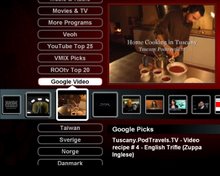
The ROO video channels are easily made viewable on a living room TV, or any networked TV around the house, for that matter. Below are TV-web images for just a few of the ROO video feeds. They are formatted for widescreen viewing (16x9) on an active-TV technology-enabled TV.


We have entered an Internet-based TV era, wherein the shift from ‘network TV’ to ‘networked TV’ will bring untold millions of video to the networked home. The tools are now readily at hand to organize streamed video into countless channels catering to all manner of tastes and hobbies, and all easily viewable on TVs throughout the home, thanks to active-TV technology.

Feedback, corrections and comments welcome. Contact me for more information or support with active-TV technology development.
Daniel Mann